
TL;DR
Microsoft is not turning off the SMTP AUTH protocol, only the authentication method based on a username and password (Basic Authentication). This means that applications and devices will still be able to send messages through the same SMTP endpoint (smtp.office365.com:587), but only if they support modern OAuth 2.0 authentication.
The biggest risk concerns older devices and applications that do not support OAuth. In practice, the problem may affect, among others, printers and scanners with a “Scan-to-Email” function, older ERP and CRM systems, business applications, monitoring systems, telephone exchanges, or tools that send automated reports and notifications.
The reason for the change is security. Basic Authentication uses static credentials, does not support multi-factor authentication (MFA), and is a frequent target of attacks that rely on stolen passwords. OAuth 2.0 uses secure, rotating access tokens and allows more precise limiting of application permissions.
If your devices or applications support OAuth 2.0, the migration will be a relatively small change. They will still use SMTP AUTH, but instead of a username and password they will use a modern, token-based authentication mechanism.
If older systems do not support OAuth, alternative ways of sending messages still exist. Depending on the scenario, you can use, among others, Microsoft Graph API, Direct Send, a relay through a connector in Exchange Online, a local SMTP Relay server, or the High Volume Email (HVE) service, which for specific use cases still supports Basic Authentication.
It is best to start your preparations with an inventory of the environment - checking where SMTP AUTH is enabled, which accounts actually use it, and which devices and applications send messages using Basic Authentication.
Although Microsoft has already postponed the deadline for disabling Basic Authentication several times, it is not worth delaying preparations. According to the current schedule, basic authentication for SMTP will be disabled by default in existing environments at the end of December 2026, and the next stage will be its complete removal from the service.
What is SMTP AUTH?
SMTP AUTH, referred to by Microsoft as Client Submission, is a mechanism used to send email messages through Exchange Online via the client submission endpoint (smtp.office365.com on port 587). It allows applications and devices to authenticate before sending a message.
What is Basic Authentication?
Basic Authentication is an authentication method in which an application or device logs in to a service using a static username and password. In the case of Exchange Online, it was for years used, among others, by printers, scanners, older business applications, and systems that send automated notifications.
What does disabling Basic Authentication for SMTP AUTH mean for Exchange Online users?
The footsteps of the coming change are getting louder. For many organisations it is irrelevant, because they stopped using outdated authentication methods long ago. For many others it is dangerous, because a lack of reaction at the right moment will cause problems with email communication.
Microsoft will disable Basic Authentication for SMTP AUTH in Exchange Online in December 2026. This concerns primarily organisations using printers, scanners, ERP or CRM applications, or monitoring systems that send messages via SMTP and that may potentially use Basic Auth authentication.
But is the change really as dramatic as it might seem? To begin with, it is worth clarifying its scope, because a lot of inaccuracies circulate in common opinion.
Microsoft is not disabling the SMTP AUTH protocol, nor the client submission endpoint (smtp.office365.com on port 587). It is only disabling basic authentication (Basic Authentication) on it. The SMTP AUTH mechanism itself (known as Client Submission) will continue to work - it is just that authentication with a username and password will be replaced by an OAuth token.
In other words: an application or device that can authenticate via OAuth 2.0 will connect through exactly the same channel as before. Only the way credentials are supplied will change. After Basic Auth is disabled, attempts to log in using the old method will be rejected with the message 550 5.7.30 Basic authentication is not supported for Client Submission.
Microsoft has already announced the retirement of this outdated authentication method several times, but it was not particularly eager to enforce the change on its customers. The deadline for blocking Basic Auth has already been postponed several times; according to the latest reports it will happen in December 2026.
How to check whether disabling Basic Authentication affects your organisation?
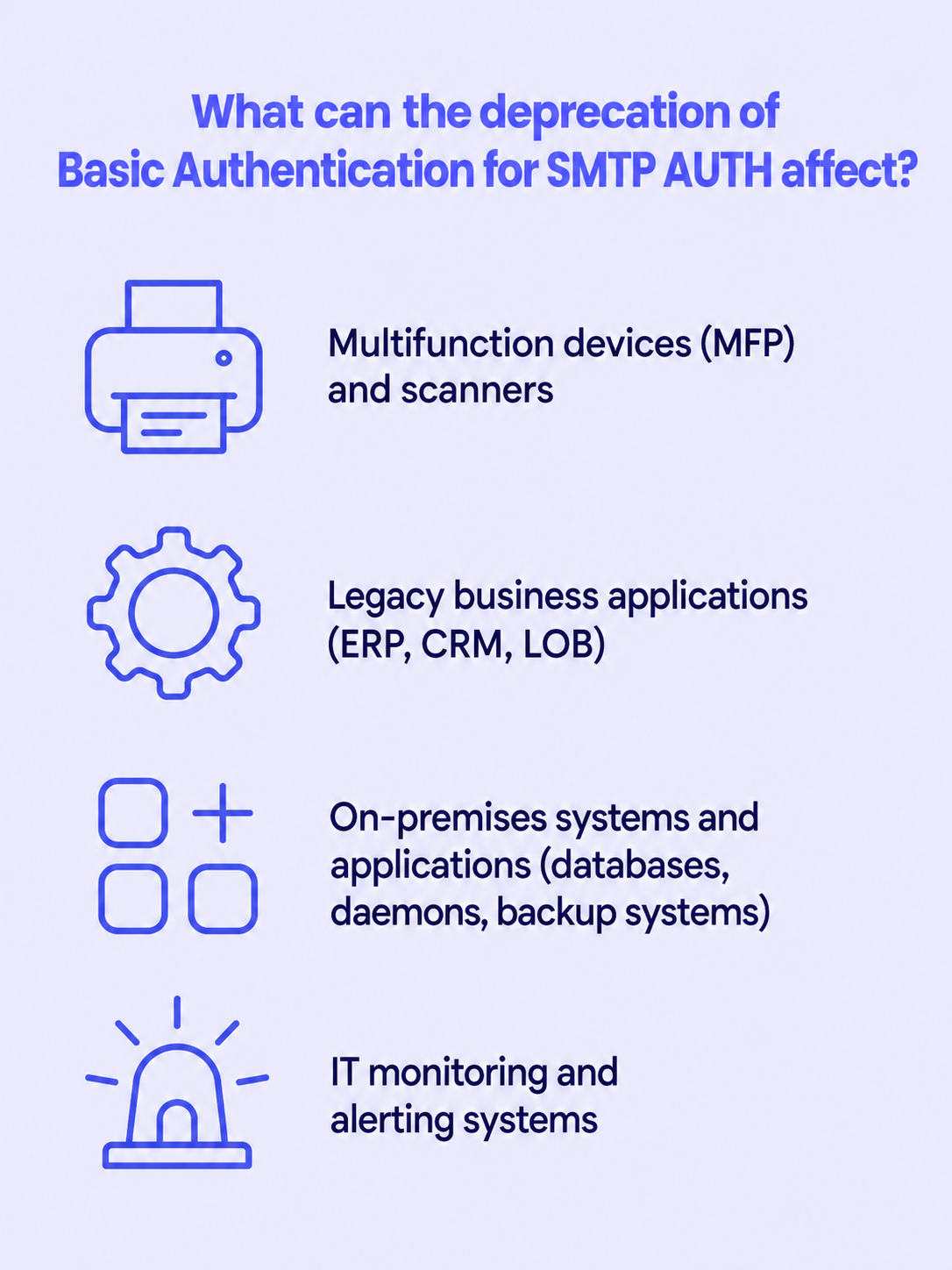
If you are wondering in which area of your own or your client's infrastructure this method took hold and became firmly rooted - here is where you should look first:
- Multifunction devices (MFP) and scanners - used mainly for the “Scan-to-Email” function, where the device authenticates in Exchange in order to send a scanned document to a user's mailbox.
- Older business applications (ERP, CRM, LOB) - systems that have hard-coded the use of basic authentication only and are responsible for sending various documents, reports, or notifications (both internally and to end customers).
- Internal systems and applications (databases, daemons, backup systems) - tools that periodically send out reports on completed tasks within the infrastructure (e.g. about errors or the success of specific jobs).
- IT monitoring systems and alarms - servers, telephone exchanges, CCTV recorders, UPS units, and network solutions that send alerts about events to technical support teams.
Why is Microsoft disabling Basic Authentication for SMTP AUTH?
Since we know that basic authentication for SMTP is still widely used, why exactly do we have to get rid of it? The answer is simple - keeping this method in place any longer conflicts with modern security standards.
Contrary to a popular simplification, the problem is not “sending the password in clear text”. Sending to Exchange Online requires an encrypted connection (STARTTLS/TLS), so credentials do not travel across the network in plain form. The real weaknesses lie elsewhere:
- Basic Auth relies on static, long-lived credentials that must be stored on the device or in the application configuration - often in a poorly secured way, and not infrequently in plain text.
- This method does not support multi-factor authentication (MFA), which disqualifies it when confronted with today's access policies.
- Stolen credentials are fully reusable - they work until someone changes the password or blocks the email account.
- Service accounts with Basic Auth enabled, due to their low level of protection, are a dominant target of password spraying and brute-force attacks. Taking them over gives attackers a gateway to distribute phishing both to internal recipients and to the outside.
- To make matters worse, this method does not offer permission scoping (e.g. limiting sending to specific applications or recipients). Modern standards make it possible to restrict the scope of access solely to the necessary task.
What are the alternatives to SMTP Basic Authentication?
So, does something better suited to contemporary business needs and security requirements exist? Of course. It is worth distinguishing between two completely different situations, however, because the available options are not equivalent “alternatives”.
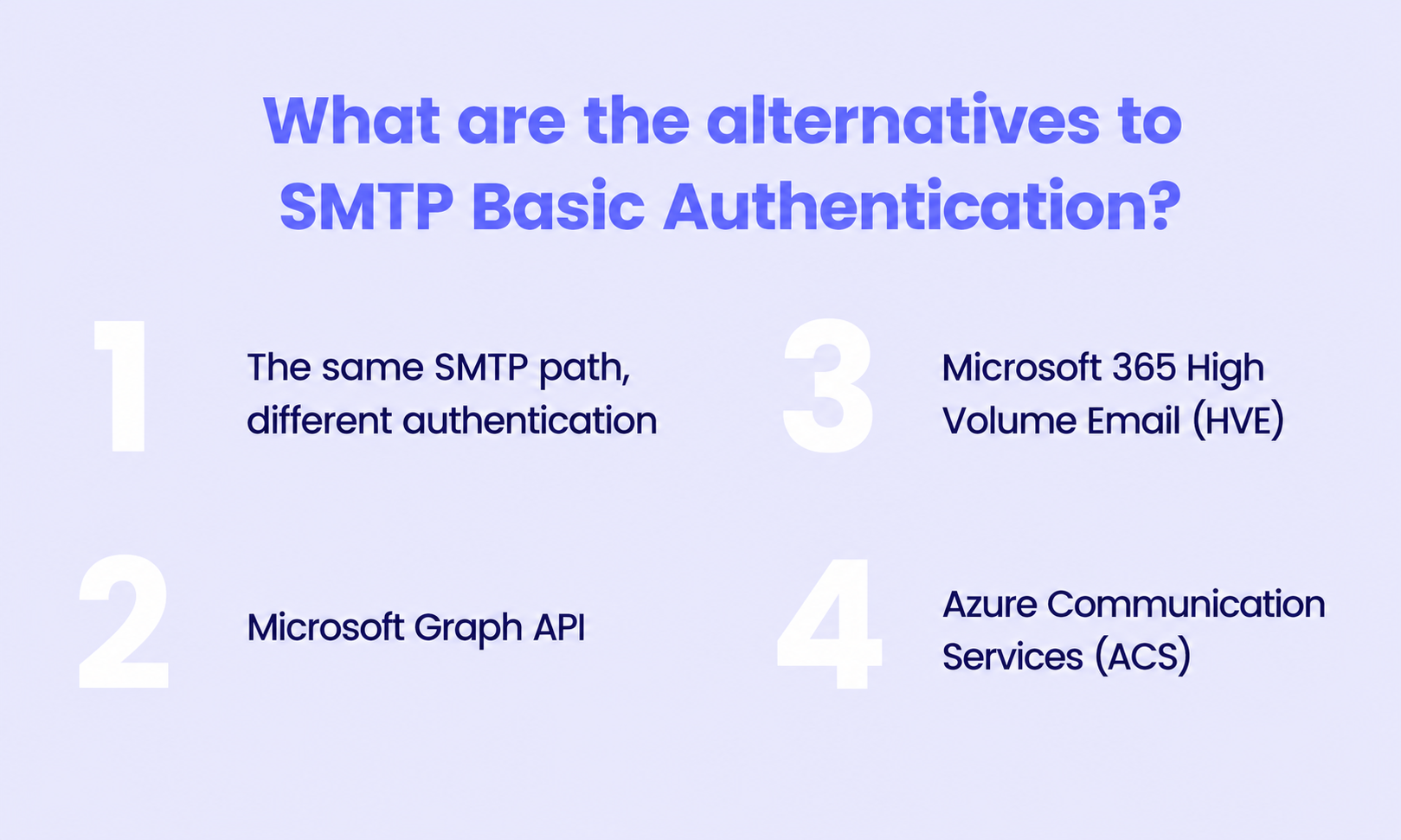
The smallest change - the same SMTP path, different login. If a device or application can authenticate via OAuth 2.0, you are not migrating to any new technology. You connect through exactly the same SMTP AUTH (smtp.office365.com:587), except that instead of a static password the application uses a secure, rotating access token. This is the least invasive path - provided that the software handling the sending natively supports this standard. In the case of old devices or applications, this can be an insurmountable barrier.
If native OAuth over SMTP is not an option, you can choose from separate services dedicated to different use cases, which allows for better scalability and significantly limits the damage in the event of a successful attack on any of the tools:
- Microsoft Graph API - the path recommended by Microsoft for newly created applications and scripts. This is already a different protocol (REST), not SMTP, so it requires rewriting the integration. Communication is based on authentication using certificates or secrets stored in Microsoft Entra ID with precisely limited permissions.
- Microsoft 365 High Volume Email (HVE) - a service dedicated to applications and devices generating a large volume of internal notifications. HVE supports recipients only within the tenant. The service is new, reached general availability (GA) at the end of March 2026, and is paid for on a pay-as-you-go basis. HVE uses its own submission endpoint -
smtp-hve.office365.comon port 587 with required TLS. - Azure Communication Services (ACS) - a service within Azure, created for systems that must communicate with customers externally at scale (transactional, bulk, marketing mail), completely offloading the corporate mail service.
There is one more often overlooked detail that can buy a lot of time: HVE supports Basic Auth until September 2028. Microsoft deliberately kept the old authentication there with LOB applications and devices in mind that will not manage to gain OAuth support in time. In practice, this means that an old scanner doing “Scan-to-Email” to internal mailboxes can be switched to an HVE account with Basic Auth and gain almost two additional years beyond the December 2026 cut-off.
Attempting to implement new methods, however, often exposes the level of technical debt in an organisation, as well as competence gaps in teams. Moving to Graph API or OAuth requires proficiency in managing Microsoft Entra ID, correctly assigning roles, registering applications, and managing the lifecycle of their secrets, which for smaller teams can be a challenge. Many working but old scanners and printers, as well as business applications, will never receive OAuth 2.0 support from their manufacturers. In their case, direct authenticated authorisation to the cloud will become permanently impossible and will force the use of workarounds or the replacement of technology.
Basic Authentication deprecation timeline
Since we know that Microsoft has already postponed the deadlines many times in the past, we can also approach the current announcements with some distance. Nevertheless, according to the latest correction announced on 27 January 2026 (which cancelled the earlier, much closer deadline of 30 April 2026), the final schedule is as follows:
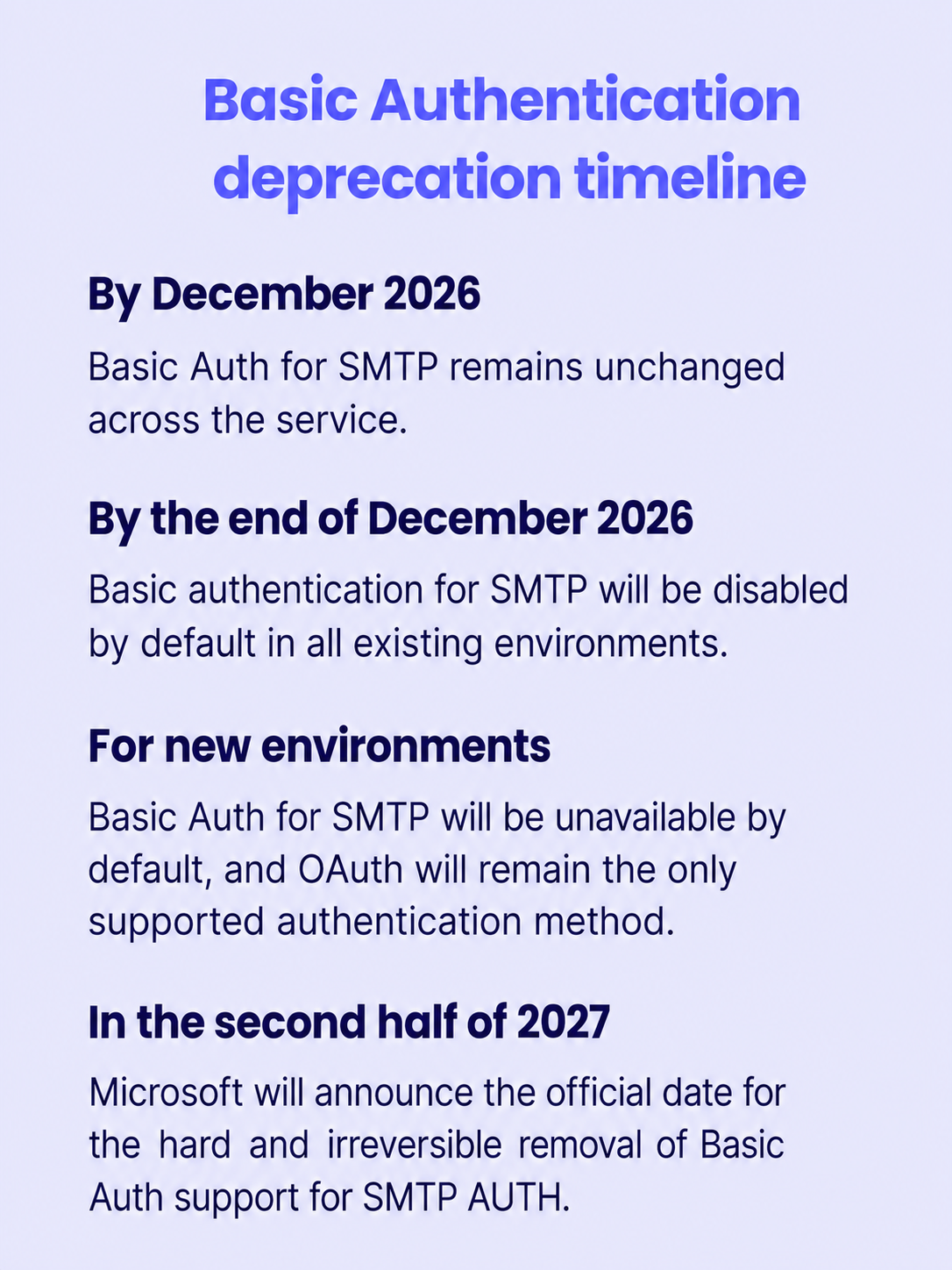
- Until December 2026, the operation of Basic Auth for SMTP remains unchanged at the level of the entire service. This is the best moment to check authentication reports and inventory devices and systems.
- At the end of December 2026, basic authentication for SMTP will be disabled by default in all existing environments (tenants). Administrators will still have the option to manually and temporarily re-enable it - treated as an aid to migration, not a target solution.
- For new environments created after this date, Basic Auth for SMTP will be unavailable by default, and OAuth will remain the only supported authentication method.
- In the second half of 2027, Microsoft will announce the official date of the hard and irreversible removal of Basic Auth support for SMTP AUTH.
How to prepare an environment inventory before Basic Authentication is disabled?
An inventory is the absolute starting point, and at the outset you must distinguish where SMTP AUTH is permitted from where it is actually used. The former will tell you where something could potentially break; the latter - what will really stop working. Skipping this distinction ends either in migrating dead accounts or in overlooking a non-obvious sender.
Step 1: Check the tenant-level setting
First, establish what the default policy for the entire organisation is:
Get-TransportConfig | Format-List SmtpClientAuthenticationDisabledA value of False means that SMTP AUTH is enabled by default for the entire tenant (except for mailboxes disabled individually). A value of True means it is disabled by default - and then it works only where someone enabled it selectively on a specific mailbox.
Step 2: Find mailboxes that may use SMTP AUTH
At the mailbox level, the SmtpClientAuthenticationDisabled property takes three states: $null (inherits the tenant setting), $false (explicitly enabled), and $true (explicitly disabled). To list mailboxes with SMTP AUTH explicitly enabled:
Get-CASMailbox -ResultSize Unlimited |
Where-Object { $_.SmtpClientAuthenticationDisabled -eq $false } |
Select-Object DisplayName, PrimarySmtpAddress, SmtpClientAuthenticationDisabled
Remember the inheritance logic: if SMTP AUTH is enabled at the tenant level (False), then all mailboxes with a value of $null can also use the method - not only those with an explicit $false. In such a scenario, the above command alone will not give you the full picture, and it is better to search for explicitly disabled mailboxes ($true), treating everything else as potentially active.
Step 3: Determine what actually sends mail through SMTP AUTH
This is the most important step, because the configuration only tells you what is allowed, not what actually happens. The most reliable source is the sign-in logs in Microsoft Entra ID. In the portal: Entra ID → Monitoring & health → Sign-in logs, and then the filter Client app → SMTP. You will see the account, the source IP address, and the application - which usually lets you pinpoint the specific device or server on the network.
The same can be retrieved via a script through Microsoft Graph (requires the Microsoft.Graph module and the AuditLog.Read.All permission):
Connect-MgGraph -Scopes "AuditLog.Read.All"
Get-MgAuditLogSignIn -Filter "clientAppUsed eq 'Authenticated SMTP'" -All |
Select-Object CreatedDateTime, UserPrincipalName, IpAddress, AppDisplayName |
Sort-Object CreatedDateTime -Descending
One important note: the standard log retention in Entra ID is between 7 and 30 days (depending on the license). If you have devices that send mail rarely - e.g. a report once a month or an alert only on failure - a short observation window may miss it. At this scale, it is worth considering exporting the logs to Log Analytics or another store with longer retention and monitoring traffic through a full business cycle before you consider the inventory complete.
What to do if devices do not support OAuth? Is there a workaround?
Yes - and this is often the most important part of the whole puzzle, because it concerns exactly those devices that will never receive OAuth support. The key observation is as follows: not every method of sending mail through Exchange Online uses SMTP AUTH at all. Two of them - Direct Send and relay through a connector - do not authenticate with a username and password, so retiring Basic Auth does not affect them at all.
Direct Send
The device sends mail directly to your tenant's MX endpoint (twojadomena-pl.mail.protection.outlook.com) on port 25 without any authentication. This is the simplest workaround, but it has hard limitations: it works only for internal recipients (within your domains), and the device's public IP address should be included in the SPF record so that mail does not land in spam.
An important security caveat: Direct Send is sometimes used to impersonate internal senders in phishing attacks, which is why Microsoft made available a switch that lets you block it at the organisation level (Set-OrganizationConfig -RejectDirectSend $true). This is a functional solution, but it should not be treated as “secure by definition” - in environments with heightened requirements it is sometimes deliberately disabled.
Relay through a connector (certificate or static IP)
If you also need to send to external recipients, or you want more control, the proper solution is a dedicated inbound connector in Exchange Online that authorises traffic based on a static IP address or a TLS certificate - also without per-device credentials:
New-InboundConnector -Name "Relay-urzadzenia-LAN" -ConnectorType OnPremises -SenderIPAddresses xxx.xxx.xxx.xxx -RequireTls $true -RestrictDomainsToIPAddresses $trueDevices then direct mail to the tenant's MX endpoint, and Exchange Online matches the connection to the connector by IP address (or certificate) and allows the relay. No passwords means nothing to steal or rotate.
Local SMTP Relay
This is a solution that takes the problem off your hands once and for all, without touching the devices themselves. You set up a local relay server on the network (the IIS SMTP role, Postfix, or another lightweight relay) that accepts unauthenticated mail from old scanners and applications on the LAN, and then forwards it to Exchange Online itself - via a connector/Direct Send or by authenticating in a modern way through OAuth on behalf of the entire set of devices and applications.
There are two advantages. First, the modern auth boundary is handled by one well-maintained point instead of dozens of devices. Second, archaic MFPs and LOB applications can remain exactly as they are - from the perspective of their configuration, the “mail server” stands on the local network and accepts the connection the old way. This is usually the cheapest and least risky path for environments with a large number of devices that cannot be modernised.
HVE with Basic Auth (until September 2028)
For strictly internal sending (notifications, alerts, reports going to mailboxes within the tenant), a separate gateway is switching devices to the HVE submission endpoint (smtp-hve.office365.com:587), which - as the only one - retains Basic Auth support until September 2028. This is a bridging solution: it buys time, but it does not release you from the target migration, and it also involves additional charges on a pay-as-you-go basis.
Regardless of the chosen path, the moral is the same: there is only seemingly plenty of time, so the window between July and December 2026 is best treated like a hard project schedule - inventory, testing, migration, cleaning up exceptions. In line with the old principle: prevention is better than cure.
FAQ
What is SMTP AUTH?
SMTP AUTH (Client Submission) is a mechanism that allows applications and devices to send email messages through Exchange Online using the smtp.office365.com endpoint on port 587. Microsoft is not retiring SMTP AUTH itself - it is only changing the way users and applications are authenticated.
What is Basic Authentication?
Basic Authentication is an authentication method based on a username and password. Due to security limitations, such as the lack of MFA support and the use of static credentials, Microsoft is retiring it for SMTP AUTH in Exchange Online and replacing it with authentication based on OAuth 2.0.
Is Microsoft completely disabling SMTP AUTH in Exchange Online?
No. Microsoft is not disabling the SMTP AUTH protocol itself or the client submission endpoint (smtp.office365.com on port 587). Only basic authentication (Basic Authentication) will be disabled. This means SMTP AUTH will continue to work, but only using modern OAuth 2.0 authentication.
When will Microsoft disable Basic Authentication for SMTP AUTH?
According to the current schedule described in the article, Basic Authentication for SMTP AUTH will be disabled by default in existing Exchange Online environments at the end of December 2026. Administrators will still be able to temporarily re-enable this authentication method, but this solution is meant solely to facilitate the migration.
Which devices and applications may be affected by the change?
Most often these are multifunction devices and scanners that use the “Scan-to-Email” function, older ERP and CRM systems and business applications, IT monitoring systems, telephone exchanges, CCTV recorders, UPS units, and various applications and services that send automated reports or notifications via SMTP.
Why is Microsoft retiring Basic Authentication?
Basic Authentication uses static credentials that are often stored in an insufficiently secured way. This method does not support multi-factor authentication (MFA), and stolen login data can be used by attackers until the password is changed or the account is blocked. Modern authentication standards make it possible to limit the scope of application access solely to the necessary tasks, thereby increasing the level of security.
Do devices that support OAuth have to change how they send messages?
No. If a device or application supports OAuth 2.0, it can still use the same SMTP AUTH mechanism and the same submission endpoint. Only the authentication method will change - instead of a username and password, an access token will be used.
How can I check whether my organisation uses Basic Authentication for SMTP AUTH?
The author recommends starting with an inventory of the environment. You should check the SMTP AUTH configuration at the level of the entire tenant and of individual mailboxes, and then verify the sign-in logs in Microsoft Entra ID. Only an analysis of actual traffic makes it possible to establish which devices and applications really use Basic Authentication.
What to do if a device does not support OAuth?
The article describes several possible solutions. Depending on the scenario, you can use Direct Send, a relay through a connector in Exchange Online, a local SMTP Relay server, or the High Volume Email (HVE) service. Choosing the right method depends on the way messages are sent and on the technical capabilities of the devices and applications.
Does High Volume Email (HVE) still support Basic Authentication?
Yes. According to the information presented in the article, the High Volume Email (HVE) service retains Basic Authentication support until September 2028. However, this is a transitional solution, intended for internal sending, that does not replace the target migration to modern authentication methods.
Is it worth waiting until the last minute to prepare?
No. Although Microsoft has postponed the retirement of Basic Authentication several times, the author advises treating the period leading up to December 2026 as time to carry out a migration project. It covers an inventory of the environment, testing, migration, and tidying up exceptions.
Sources
- Microsoft Tech Community - Updated Exchange Online SMTP AUTH Basic Authentication Deprecation Timeline (schedule correction of 27 January 2026): techcommunity.microsoft.com
- Microsoft Tech Community - Exchange Online to retire Basic auth for Client Submission (SMTP AUTH): techcommunity.microsoft.com
- Microsoft Learn - Deprecation of Basic authentication in Exchange Online: learn.microsoft.com
- Microsoft Tech Community - High Volume Email: Continued support for Basic Authentication & other important updates (Basic Auth support in HVE until September 2028, removal of external sending): techcommunity.microsoft.com
- Microsoft Tech Community - Public Preview / Updates to High Volume Email for Microsoft 365 (GA, billing model, OAuth): techcommunity.microsoft.com
- Microsoft Learn - Manage High Volume Email for Microsoft 365 (authentication, endpoint, limitations): learn.microsoft.com
- Microsoft Learn - Use OAuth authentication for high volume emails for Microsoft 365 (XOAUTH2, application scoping): learn.microsoft.com