
TL;DR
- AI is only a supporting tool - it never replaces a human. Full responsibility for content, decisions and security rests with you and your organisation.
- Do not paste confidential data into public versions of ChatGPT, Gemini or Claude. Company, personal and client data, contracts, code and strategic information may only be pasted into an approved corporate tool (Business/Enterprise).
- Always verify every output - AI can hallucinate, provide made-up information and sound very convincing even when it is wrong.
- Provide only general data - it is safe to create drafts, checklists, templates and general ideas without giving real data.
- Data strictly forbidden to paste - personal data, NDAs, business plans, logs, tokens, financial results before publication and anything non-public.
- Verification matters - HR and legal decisions, employee evaluations or external publications must never be made solely on the basis of AI.
- In case of doubt or error - immediately report the incident to your manager and the security team. A quick reaction minimises risk.
5 rules worth remembering:
- Use AI as an assistant, not an oracle.
- Do not paste confidential data into unapproved tools.
- Verify everything before use.
- At the slightest doubt - ask.
- Responsibility always lies with the human.
How does AI work and why can it be dangerous?
AI tools such as ChatGPT, Copilot, Gemini and Claude increasingly support everyday work. They can boost efficiency, but their use also comes with risks that must be understood and controlled.
AI does not think like a human - it does not understand the world and has neither consciousness nor common sense. It analyses billions of texts it was trained on and, based on them, predicts which word should come next. This is the main reason why AI answers sound so convincing and professional, even when they are completely wrong.
Why can AI be dangerous at work?
AI does not understand context the way a human does and can hallucinate and generate incorrect or made-up information, which is why it can be dangerous for your company. It can invent non-existent facts and data and provide outdated legal and financial information. It can also be caught creating false statistics and generating code with bugs.
That is why it is always worth carefully checking every output provided by AI before using it in your work.
Responsibility for AI-generated content used at work and its compliance with the rules always rests with the employee and the organisation. AI is still only a supporting tool, and verification helps minimise the risk of introducing incorrect information into documents, emails, presentations or business decisions.
What are the most popular AI tools in 2026?
In 2026, the market is saturated with AI tools that are currently used by many people both at work and in their private lives. Below is a list of the most popular tools:
- ChatGPT (OpenAI) - holds a large share of the AI market. Most often used for writing texts, brainstorming, analysing documents and everyday tasks. Available in Free, Plus and Enterprise versions (with full protection of company data).
- Google Gemini - well integrated with the Google Workspace ecosystem (Gmail, Docs, Sheets). Ideal for multimodal work (text + image + video) and research. Popular with both individual users and companies.
- Microsoft Copilot - a tool built directly into Microsoft 365 (Word, Excel, Teams, Outlook). Most often chosen by corporations that already work in the Microsoft ecosystem.
- Claude (Anthropic) - favoured by professionals across many industries. Particularly popular for writing long texts, coding and tasks requiring high precision.
- Grok (xAI) - characterised by a very natural, direct conversational style, access to up-to-date real-time information and good integration with the X platform.
All these tools have Business/Enterprise versions that do not use company data to train models. If you can, always choose a corporate account (rather than a free one) when working with confidential data. And remember to follow your organisation's rules for using AI.
In the following sections we will discuss how and under what rules to safely use the tools above.
What is safe use of AI at work?
Safe use of AI at work means the conscious, controlled use of artificial intelligence tools (such as ChatGPT, Copilot, Gemini, Claude or Grok) in everyday tasks, in line with the organisation's policy.
Artificial intelligence can only be used safely when it serves as a supporting tool - i.e. its answers are always assessed and verified by a human. You must also be aware of the risks, follow the organisation's rules, and use only approved corporate tools for confidential and non-public data.
Can you use ChatGPT and other AI at work?
You can use ChatGPT and other tools at work, but only under the rules defined by the company. In many places working with artificial intelligence is even encouraged - provided it is used consciously.
The most common conditions for safe use of AI at work
Below is a list of conditions you must follow when working with artificial intelligence so that its results positively affect efficiency rather than create additional problems:
- AI is only a supporting tool, so it never replaces your assessment of the generated content, your knowledge and your responsibility.
- For non-confidential tasks (email drafts, checklists, brainstorming, translations, general ideas) you can safely use both public and corporate versions of AI.
- For any company data, use only an approved corporate tool (Business or Enterprise version).
- A free private ChatGPT account does not meet security requirements for business data, because it may be used to train models.
- Always verify every piece of AI-generated content before using it, because AI can hallucinate and provide made-up information.
- If in doubt about confidentiality, consult the appropriate person in your company.
You can use AI at work, but only when the data you enter is safe. Otherwise there is a risk of breaching company security rules.
What data can be entered into AI tools?
Only non-confidential, publicly available and anonymised data may be entered into artificial intelligence. Remember that non-public company and personal information, as well as client data, must not end up in public AI tools.
Green light - data you can enter into AI
If you avoid entering the non-public data mentioned earlier into artificial intelligence, the following uses of AI are perfectly acceptable. This lets you improve your work and test tools that are not yet available in the Business/Enterprise version at your company.
You can safely use public tools in situations such as:
- Content creation: email drafts, article summaries, translations, simplifying or editing texts.
- Work organisation: checklists, organising information, suggestions for document structure, brainstorming, preparing a meeting agenda.
- Technical support: code examples, error explanations, debugging general problems (but without pasting fragments of source code, configurations, logs, stack traces, tokens, keys or any production data!). If you are looking for an answer to a technical question, use test data and anonymised examples.
The fewer details you provide, the better. Instead of real names, client data or specific tickets, you can use anonymised data (e.g. "Client A" instead of the real name).
In the next section we will show exactly what you must never paste into ChatGPT and other AI tools, even if it seems like unimportant information.
What must not be pasted into ChatGPT and other AI?
Never enter data into AI tools (especially public ones) the use of which has not been approved by your organisation.
Even a single careless paste can cause a leak of confidential information, a GDPR breach or serious consequences affecting compliance.
Yellow light - data that requires caution before entering into AI
Not every situation will be clear-cut, and some data may raise doubts. Remember that in such cases it is best not to decide on your own, but to contact the security team or your manager before you start using AI.
Turn to the responsible person when:
- the task seems general, but the document or context may contain confidential data,
- you are not sure whether the information you want to paste is internal or sensitive,
- the AI output will be the basis for a decision concerning a client, employee or project,
- the task concerns legal, HR or security areas.
In the next subsection we will discuss cases in which the use of artificial intelligence is completely prohibited.
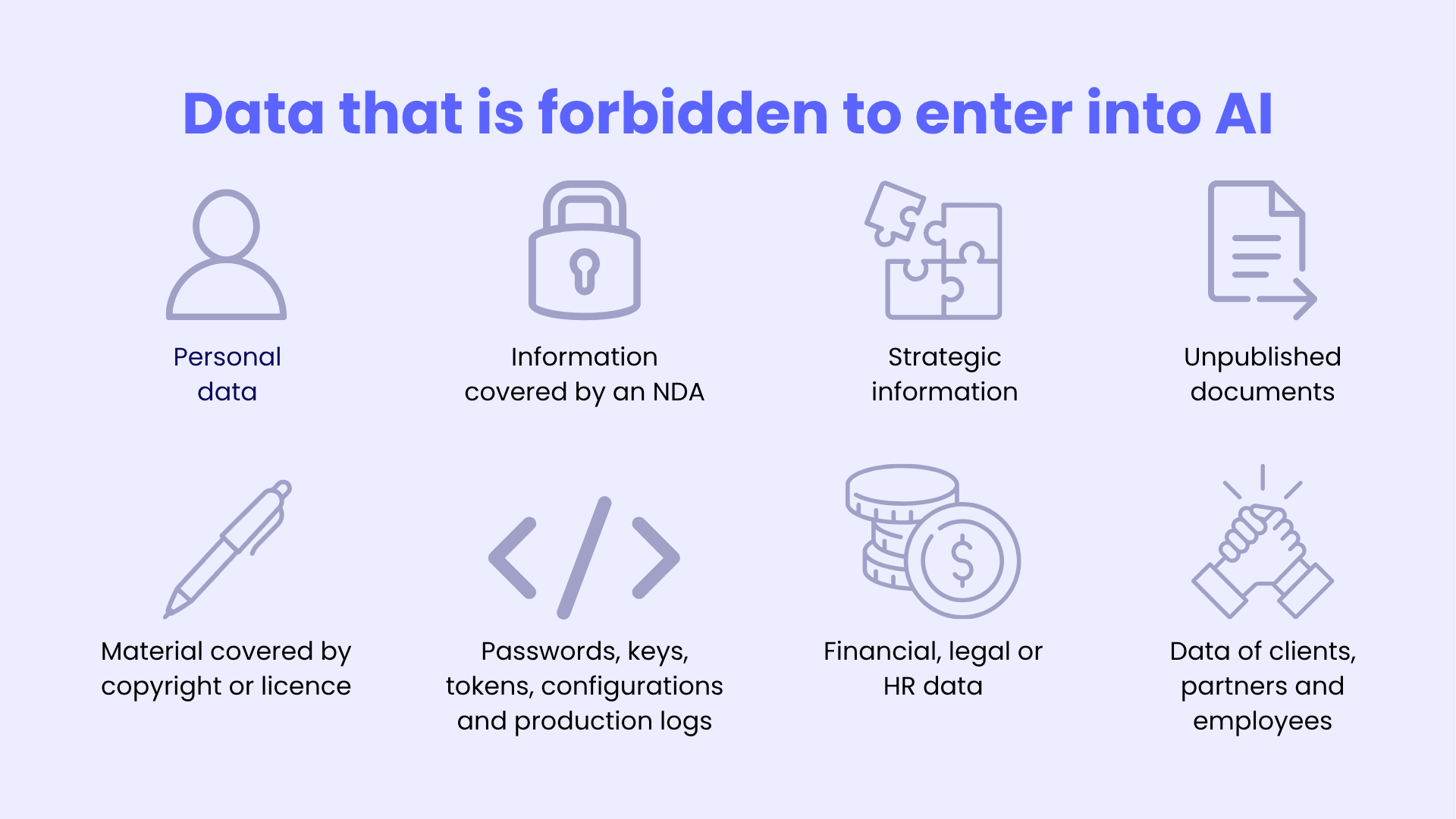
Red light - data that is forbidden to enter into AI
This subsection applies primarily to public versions of ChatGPT, Gemini, Claude, etc., and not to Business/Enterprise.
- Personal data - anything that allows a person to be identified directly or indirectly (including data sets that, when combined, may enable identification)
- Data of clients, partners and employees
- Information covered by an NDA, trade secret or contractual restrictions
- Strategic information - business plans, roadmaps, financial results before publication, information about vulnerabilities or incidents
- Unpublished internal documents
- Passwords, keys, tokens, configurations and production logs
- Financial, legal or HR data without a previously established and approved procedure
- Material covered by copyright or licence, if you do not have the right to paste it
- Someone else's code, documentation or content whose use has not been approved
A private account never meets the security requirements for the above data. Only a corporate account (Business/Enterprise) protects business data, although even then you must learn the usage rules in force at your company.
Private account vs corporate account
| Aspect | Private account (e.g. ChatGPT Free/Plus) | Corporate account (Business / Enterprise) |
|---|---|---|
| Data for model training | Content may be used to improve models (depending on settings and usage mode) | Business data is not used to train models by default |
| Administrator control | None | Yes |
| Security and compliance | Standard | Enhanced security mechanisms |
| Recommended for working with company data | No | Yes |
If a task contains even a single word like "company", "client", "internal project", "production code" or "confidential data", you must automatically switch to a corporate account.
FAQ
Below you will find answers to the most frequently asked questions about the safe use of AI in 2026.
Can AI independently make HR or legal decisions?
No. AI must not be used for decisions about hiring, evaluation, dismissal, legal analysis or any decisions affecting people or the company. The final decision must always belong to a human.
What to do when AI makes something up (a hallucination)?
Always assume the output may contain errors. You must verify every fact, figure and conclusion against reliable sources before using the answer in your work.
Can AI be used to analyse contracts or client documents?
Not directly. Instead of pasting a real document, ask for a general risk checklist for a typical service agreement. Analyse specific documents only in an approved corporate tool.
Are Grok, Claude or Gemini safer than ChatGPT?
All tools are only safe in the Business/Enterprise version. Private versions work the same way and may use your data. Security depends on the account, not on the provider.
Have another question or doubt?
Contact your manager, the IT/security team, legal department or DPO. It is better to ask too early than to report an incident too late.
Read next: see how to write safe prompts, decide what data to enter and verify AI answers in practice: Safe Use of AI at Work - Good Practices, Safe Prompts and Sound Decisions.